Flying Car AI Video Generator
Upload a photo and let AI turn it into a viral flying car masterpiece.
Driver Photo (Required)
Hint: Upload a selfie or your pet's photo.
Vehicle Photo (Optional)
Leave blank to use default futuristic car.
What is the Flying Car AI Meme?
If you have scrolled through TikTok, Instagram Reels, or X recently, you have likely encountered videos amassing hundreds of millions of views featuring an astonishing visual trick: ordinary commuters stuck in massive traffic jams suddenly pressing a glowing button, causing their vehicle to vertically lift off and blast through a futuristic skyline. Another wildly popular variation features household pets—cats and dogs—stoically piloting these sci-fi hovercars through the cosmos.
This explosive viral trend is powered entirely by state-of-the-art Image-to-Video generative AI. Content creators are using sophisticated AI models to transform mundane reality into cinematic escapism. The massive appeal lies in the sharp contrast: escaping the frustrating, everyday reality of bumper-to-bumper traffic into a boundless, cyberpunk utopia. Now, our dedicated tool democratizes this high-end VFX technology, allowing absolutely anyone to participate in the trend without needing expensive 3D rendering software.
Create Your Video in 3 Simple Steps
Upload Photos
Provide a clear, front-facing photo of yourself or your pet. The better the lighting, the more accurate the AI depth calculation.
Choose Vibe
Select from our library of viral aesthetics—ranging from dystopian wastelands to neon-drenched cyberpunk megacities.
AI Generation
Click generate. Our cloud GPU clusters will instantly render complex 3D physics and motion blur, delivering your ready-to-post masterpiece.
Explore Viral Templates
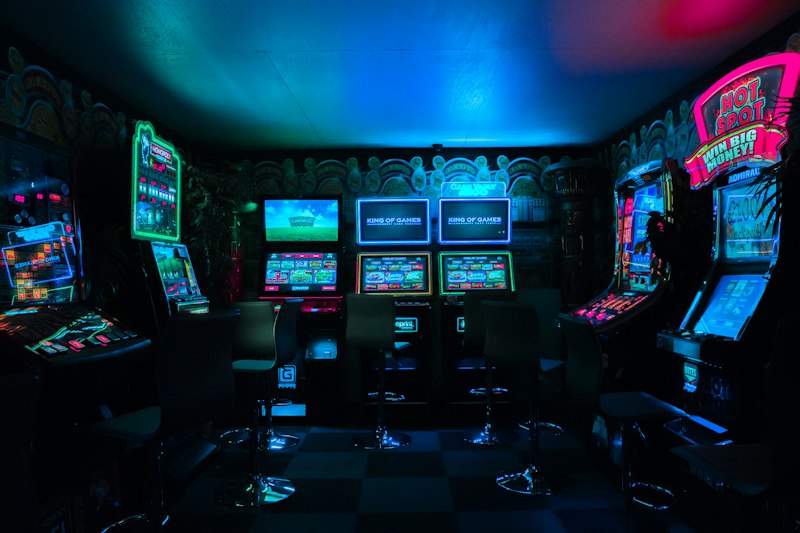
Viral Cyber Cruiser
Bathed in the glow of neon blue and magenta lights, this template places your subject into a dense, futuristic megacity. Featuring dramatic hyper-lapse camera movements and rain-slicked visual effects, it is the undisputed champion of the TikTok algorithm.
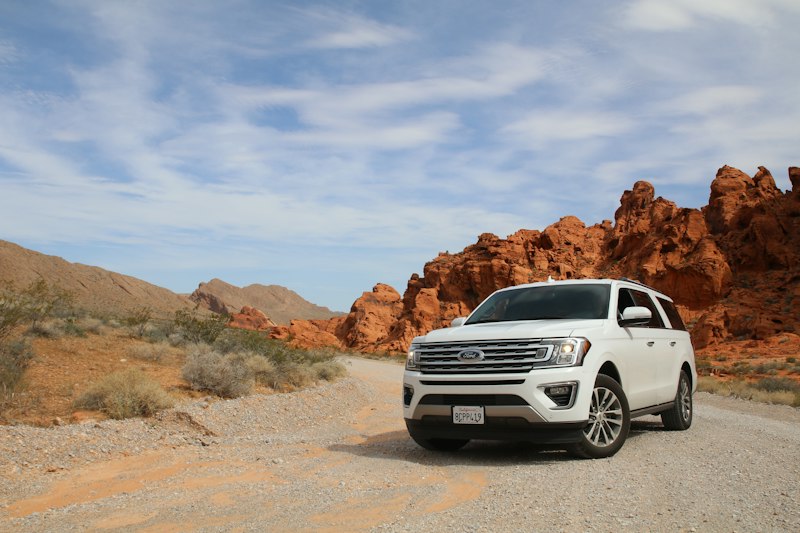
Post-Apocalyptic Rover
Designed for rugged aesthetics. This heavy, dust-kicking hover vehicle soars across a scorched desert landscape. The AI aggressively applies dirt textures, lens flares, and aggressive shaky-cam physics to simulate an intense, survival-driven atmosphere.
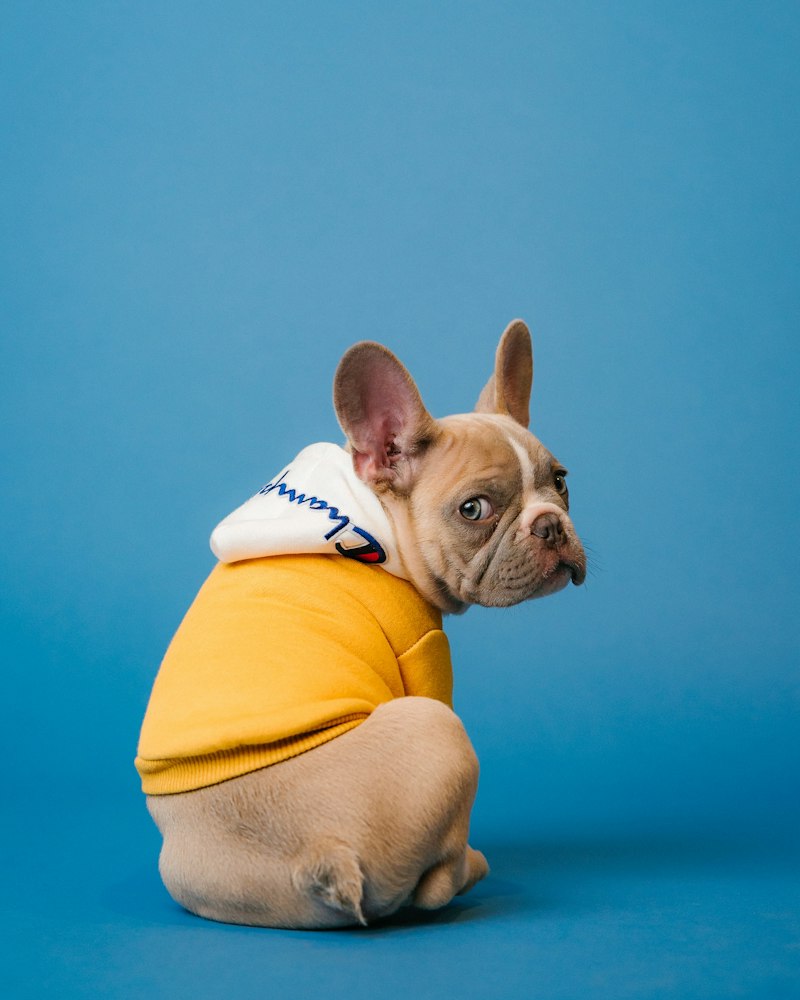
Cartoon Pet Pilot
Transform your furry friends into 3D Pixar-style space explorers. This template utilizes vibrant, saturated colors and smooth, animated dynamics to create a lighthearted, deeply engaging video. Perfect for pet owners looking for massive social engagement.
Understanding the AI Engine: From 2D Photos to 3D Flight
Have you ever wondered how a flat, static JPEG can instantly transform into a sweeping cinematic sequence? Our backend utilizes cutting-edge diffusion models to perform complex depth estimation. The AI intelligently analyzes the foreground (the driver or pet) and separates it from the background environment.
Once the layers are separated, the neural network constructs a virtual 3D mesh. It injects dynamic physics into the scene—calculating how lighting reflections should move across the vehicle's metallic surface, and applying intense motion blur to the road below to simulate hypersonic speeds. The camera's perspective is then digitally shifted, creating that jaw-dropping parallax effect that makes the car look like it's genuinely lifting off.
Prompt & Image Input Guide
-
✅
Optimal Input: A well-lit, front-facing portrait taken during daylight. The subject's face and shoulders should be clearly separated from a relatively uncluttered background.
-
❌
Suboptimal Input: A blurry, extreme side-profile photo taken in a dark room with heavy shadows obscuring facial features. The AI will struggle to generate an accurate 3D face map, resulting in distorted visual artifacts.
Simple Pricing
Basic
- ✓ 1 High-Quality Flying Car Video
- ✓ Pay once. No recurring charges.
- ✓ Download without a watermark
- ✓ Pass returned if generation fails
- ✓ Instant guest checkout (No login required)
Pro
- ✓ 3 High-Quality Flying Car Videos
- ✓ Pay once. No recurring charges.
- ✓ Download without a watermark
- ✓ Pass returned if generation fails
- ✓ Instant guest checkout (No login required)
- ✓ Priority GPU rendering queue
Viral Pack
- ✓ 7 High-Quality Flying Car Videos
- ✓ Pay once. No recurring charges.
- ✓ Download without a watermark
- ✓ Pass returned if generation fails
- ✓ Instant guest checkout (No login required)
- ✓ Ultra-fast dedicated rendering
How to Get the Best Results?
Ensure the subject's face is completely clear and unoccluded. Use well-lit environments where the primary light source is facing the subject. Single subject frames always yield the cleanest 3D transformations.
Avoid heavily compressed, blurry, or pixelated images. Do not use extreme silhouettes or photos where the subject is heavily backlit. Avoid crowded group photos, as the AI may struggle to isolate the main driver.
Why Results May Vary
It is crucial to understand that AI video generation is not a simple filter overlay. The neural network "hallucinates" and rebuilds the scene based on its mathematical interpretation of your image.
Slight variations in the angle of the face, the ambient lighting of the original photo, or even the color of the clothing can steer the generative model in different artistic directions. Therefore, while the overarching theme (e.g., Cyberpunk) remains consistent, no two generated clips will ever be exactly identical.